We garanderen dat u de laagste prijs krijgt. Indien u binnen 48 uur ergens anders een betere prijs krijgt voor dezelfde talencursus, zullen we het verschil restitueren. Toon details
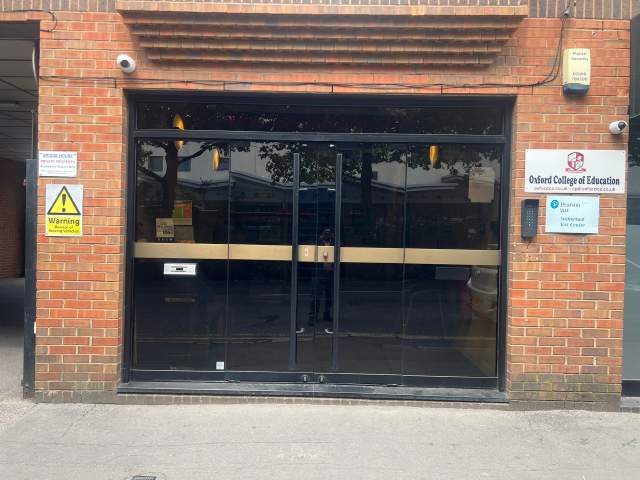
Oxford College of Education Bridge House, 56 Bridge St, High Wycombe, High Wycombe, Buckinghamshire HP11 2EL, UK
Les rooster kan veranderen afhankelijk van beschikbaarheid en seizoen.
Cursus beschrijving
(Translated by Google Translate)
Microsoft Excel Certification Level 3
Please Note: This course uses the Windows version of Microsoft Office 2016. Any other versions will have some differences in the functions.
The Microsoft (MS) Excel Certification Level 3 Course is the most comprehensive of the three Excel courses presented here. If a team member has successfully completed the Level 1 and Level 2 courses, they will be fully prepared to start the Level 3 course.
Formulae or functions are what advanced users of Excel want from this tool. When you use formulae, not only can you see the data that you require for your work, you can also analyse it and get answers to complex questions.
Although anyone with some Excel knowledge can use formulae, such as SUM, a user who has the advanced Excel skills presented in this course will use other formulae, both alone and combined, such as MATCH, INDEX, DSUM and VLOOKUP.
In addition to knowing and using these formulae, an advanced user of Excel knows how to debug these formulae, how to audit them and how to choose the perfect formula for the particular task to be carried out.
What’s Covered in the Course?
Any staff member choosing to study this course can expect to gain the following skills:
How to set A Password to an Excel document;
VLOOKUP Advanced formula options and manipulations;
Other advanced functions: OR, AND, CHOOSE, INDIRECT, REPLACE, LEN, LEFT, FIND;
Functions of CEILING, CORREL, DATEDIF, DATEVALUE, DAVERAGE and EDATE;
Colouring a column and row with a formula;
Highlighting a cell with a formula;
Functions of ISODD, ISNUMBER, ISTEXT, ISLOGICAL, ISNONTEXT, ISERR and ISBLANK;
Functions of DGET, DMAX, DPRODUCT, DCOUNTA, DCOUNT and DSUM;
How to calculate depreciation in Excel, including SLN depreciation and SYD depreciation;
Calculating loan IPMT and EMI;
Functions of DATEDIF, DATEVALUE, EDATE, EOMONTH, MATCH and INDEX;
Full explanation of the INDEX and MATCH functions;
Looking up data;
Selecting only cells containing comments;
Hiding formulae;
Automatically inserting serial numbers;
The employee will also learn about calculating depreciation, calculating interest and calculating IPMT and EMI for loans, all by using Excel functions.
The course features information on INDEX and MATCH functions, which is important in certain industries and roles. It also shows learners how to use the CHOOSE formula and how to create special charts.
What are the Benefits of the Course?
Upon completion of the Level 3 course, the employee will have access to the full functionality of Excel and will know how to use all of its formulae, functions and capabilities;
The Level 3 Excel course is designed for ‘power’ users, but not only for programmers and those interested in financial modelling;
Competent Excel users add huge value to an organisation, through advanced data analysis.
Modules
Module 1: Add a Password
Module 2 : AND Function
Module 3 : Auto Updating Drop-down Lists
Module 4 : CEILING Formula
Module 5 : Charts that Update Automatically
Module 6 : CHOOSE Formula
Module 7 : Compare 2 Lists with VLOOKUP Function
Module 8 : CORREL Function
Module 9 : Create an Advanced Calculator
Module 10 : Create a Combo Chart
Module 11 : Create a Custom Tab
Module 12 : Create a Pivot Chart
Module 13 : Create Visual In-cell Indicators
Module 14 : Create Visual In-cell Indicators with Icon Sets
Module 15: Customise the Status Bar
Module 16: DATEDIF Function
Module 17: DATEVALUE Function
Module 18: DAVERAGE Function
Module 19 : DCOUNT Function
Module 20 : DCOUNTA Function
Module 21 : Depreciation Formula
Module 22 : DGET Function
Module 23 : DMAX Function
Module 24 : DPRODUCT
Module 25: DSUM Function
Module 26: EDATE Function
Module 27: EOMONTH Function
Module 28: Find and Replace
Module 29: FIND Function
Module 30: INDEX Function
Module 31: INDEX MATCH Function
Module 32: INDIRECT Function
Module 33: Insert Serial Number Automatically
Module 34: IPMT Function
Module 35: ISBLANK Function
Module 36: ISERR Function
Module 37: ISLOGICAL Function
Module 38: ISNONTEXT Function
Module 39: ISNUMBER Function
Module 40: ISODD Function
Module 41: Isolate First Name
Module 42: ISTEXT Formula
Module 43: LEFT Function
Module 44: LEN Function
Module 45: MATCH Function
Module 46: VLOOKUP Multiple Results at Once
Module 47: OR Function
Module 48: PMT Function
Module 49: REPLACE Function
Module 50: Select all Cells with Comments
Module 51: Sparkline Charts in Excel
Module 52: Straight Line Depreciation
Module 53: Strikethrough
Module 54: Sum of Years Depreciation
Module 55: Timeline in Pivot Table
Module 56: VLOOKUP with 2 Criteria
Module 57: VLOOKUP with DropDown List
Module 58: VLOOKUP with MAX
Module 59: VLOOKUP with MIN
Module 60: Watch Window In Excel
Klasniveau
Alle niveau's, beginner tot geavanceerd
U zult een toets afleggen op je eerste dag om zo te kunnen evalueren welke uw klasniveau is. U kunt deze test ook doen voor aankomst in !Regio.
Klasgrootte
Gemiddeld
12 studenten
Maximaal
15 studenten
Studenten leeftijd
Leeftijdsgroep
16 - 35 jaar oud
Gemiddeld
19 jaar oud
Certificaat
Een certificaat van voltooiing zal uitgereikt worden aan het einde van de cursus.
lees meer...
school
School beschrijving
OCE is in het hartje High Wycombe gevestigd en is één van de meest populaire scholen in VK. De school specialiseerd in Engels onderwijzen aan buitenlandse studenten zoals uzelf. De klasgrootte is ook zeer klein in vergelijking met andere scholen. Zij hebben ook zeer vriendelijke docenten en medewerkers die goed voor u zullen zorgen terwijl u in High Wycombe bent.
Jaar opgericht
2017
Aantal klaslokalen
6
Accreditering
Faciliteiten
Bibliotheek
Liften
Toegankelijk voor rolstoelen
Eetgedeelte
Gratis internet
Draadloos internet
Computers
Na-class seminars
Studeren gebied
Audio-learning
Leraren bevoegdheden
Engels moedertaal sprekers
Meer dan 50%
Leraren met Engels leraren certificaat
Meer dan 50%
Leraren met universiteitsgraad
Meer dan 50%
Nationaliteit en leeftijdsmix
De nationaliteiten- en leeftijden mix in Oxford College of Education varieert over verschillende tijd periodes, taalcursussen en niveau's. Gedurende het jaar is de gemiddelde leeftijd 19. Tijdens de zomer is de gemiddelde leeftijd 19.
Schoolvakanties
OCE heeft geen lessen tijdens de onderstaande vakantie-data. De school geeft geen vergoeding voor deze vakantiedagen dus verzeker u ervan dat u de correcte startdatum kiest.
Open data
Het hele jaar door
Schoolvakanties
Geeneen
lees meer...
photos
Foto's
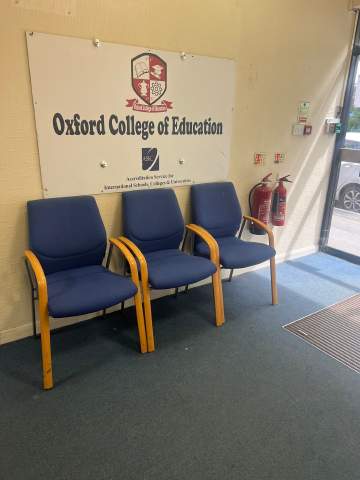
Oxford College of Education1/10
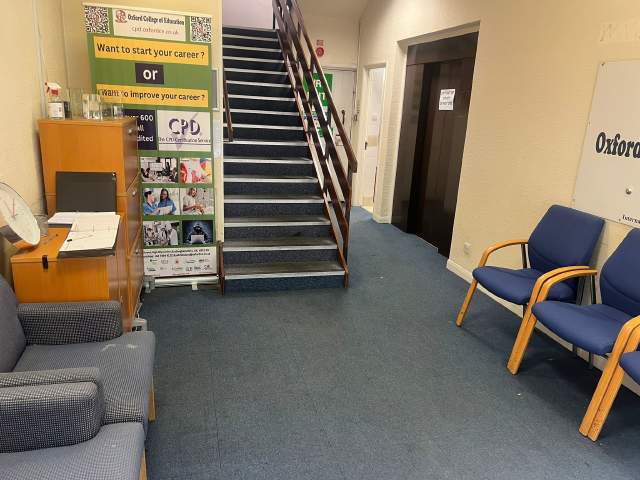
Oxford College of Education2/10
Oxford College of Education3/10
Oxford College of Education4/10
Oxford College of Education5/10
Oxford College of Education6/10
Oxford College of Education7/10
Oxford College of Education8/10
Oxford College of Education9/10
Oxford College of Education10/10
visa
Visa assistentie
We kunnen geen visas voor studenten aanvragen. De school kan u echter wel met alle benodigde documentatie voorzien die u nodig heeft voor uw visa aanvraag.
Indien u voor meer dan 11 maanden in de VK studeert, zult u een referentie nummer ontvangen genaamd Confirmation of Acceptance for Studies (CAS) die u bij de VK ambassade in dient te leveren samen met uw Standaard Studenten Visa aanmeldingsformulier. Studenten die succesvol een talen cursus gereserveerd hebben en die hun kosten betaald hebben zullen een CAS van OCE ontvangen. Let aub op dat UK wet aangeeft dat een CAS alleen aan studenten gegeven kan worden die Engelse taal studies willen gaan doen die meer dan 11 maanden duren.
Indien u voor 11 maanden of minder in de VK studeert, dient u een speciale bezoeker's visa aan te vragen genaamd Student Visitor Visa. Als student bezoeker, zult u niet in staat zijn part-time te werken terwijl u studeert. Indien u van plan bent om 11 maanden of minder in de UK te studeren, zal een acceptatiebrief naar u gestuurd worden tegen geen extra kosten.
Please note that we do not book flights for our students. If you are researching airfare costs, we recommend using Kayak.com, a search engine that lets you compare flight options from your home country to High Wycombe based on your budget, schedule and preferences.
Reisverzekering
Studeer in het buitenland zonder zorgen met Language International's medische en persoonlijke effecten verzekeringsdekking. Wanneer u een cursus met ons reserveert, kunt u kiezen om een internationaal plan te kopen die niet alleen uw medische kosten dekt maar ook het verlies van persoonlijke spullen. U moet uw verzekering van te voren reserveren wanneer u registreert.